


MHO daily tasks: priorities, resets and Marathon Hunt
Plan Monster Hunter Outlanders daily and weekly tasks around deadlines, material needs and Marathon Hunt rewards, with a reusable personal checklist.
What should you do first each day?
Open the mission, event and inventory screens before choosing a hunt. The useful question is which reward or material you would otherwise lose—not whether every menu has a red dot. There is no fixed completion time here: story progress, queue time and equipment change how much you can finish.
| Situation | First action | Why |
|---|---|---|
| Mail or an event reward is about to expire | Claim it and check any separate event shop | Earning points and spending them can have different deadlines |
| Daily objectives overlap with a material you need | Choose that hunt | One run can advance both goals |
| Energy is near its cap | Spend it on your current team’s materials | Avoid paying for another refill while stored energy is unused |
| Only a few minutes remain | Claim completed mission and pass milestones | A completed task is not always an automatically claimed reward |
At launch the daily mission reward track reaches its final milestone at 120 points. Read the milestone in your client if it changes. The event calendar separates permanent rewards from rotating hunts.
When do tasks reset?
The Japanese launch schedule lists daily resets at 05:00 JST, weekly resets on Monday at 05:00 JST, and monthly shop limits on the first day at 05:00 JST. This is not a universal clock for every edition. Use your server’s countdown before planning a final run or purchase.
Keep task resets separate from event end times and individual ticket refreshes. For weekly tasks, follow the progress bar shown in your client: conflicting launch totals are not a reliable reason to stop early. Spend expiring weekly opportunities first, but do not empty a shop simply because its stock is resetting.
Where does Marathon Hunt fit?
After its story unlock, Marathon Hunt is a seven-minute continuous hunt with up to three daily Zenny chests. Check today’s remaining reward claims before repeating it for currency. If matching fills your group with AI, you control your selected main adventurer rather than freely rotating a full personal squad. Set that character and weapon before entering.
Use the first run to learn the target sequence and your team’s survival needs. A failed run and a run completed after exhausting daily reward claims are different problems; check the reward screen before changing your build. Story unlocks are summarized in the chapter guide.
How should weekly tasks and spending fit together?
Review weekly missions, arena opportunities, expedition progress and the season pass together. Advance the expedition as far as your team can manage before deciding when to use a reset resource. A reset ticket and an entry ticket need separate counts; do not assume every counter refreshes on Monday.
For energy refills, compare the exact Rutacoin cost with the material you can earn and your recruitment budget. “One more run” is useful only if it advances a specific upgrade. See the Rutacoin budget guide before spending saved currency.
What if a daily objective will not progress?
Read the character, mode and target conditions again. Having a required character in the squad may not satisfy a requirement to use that character as main. Paolumu research and some weapon follow-ups also received fixes in the November 6 update; update and retry before assuming the objective is impossible.
Personal task checklist
Daily routine
Saved in this browser. All language versions share the same progress.
-
Many mail rewards have a deadline.
-
Rutacoin and Adventurer Rank EXP.
-
Use stored energy for materials your current team needs.
-
Season pass levels pay out contracts.
-
Squad Crests for the Squad shop.
-
Unlocks at Adventurer Rank 16.
All items on this list are checked. This is not a full collection tracker.
Ticks are stored only in this browser and shared across languages. Reset this checklist yourself at the next daily reset; it does not read game progress.
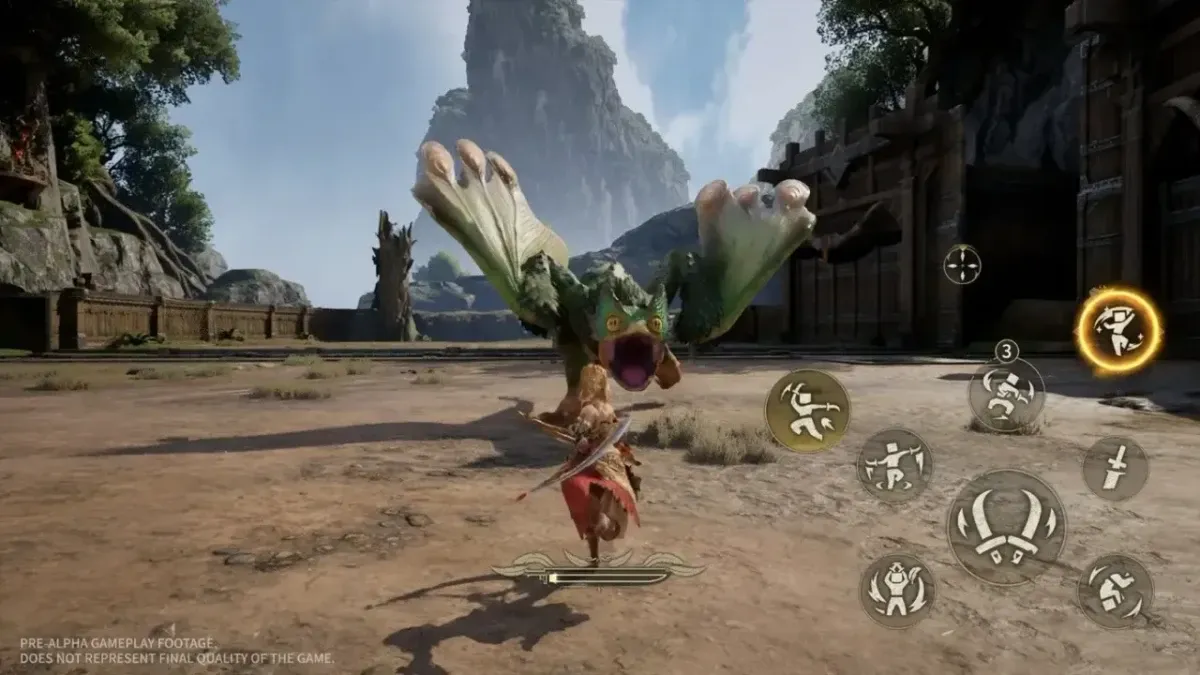
Cover: official pre-alpha hunt footage, © CAPCOM / Proxima Beta; illustrative, not the current Marathon Hunt interface.
Related Articles
monster-hunter-outlanders
MHO Rutacoin budget: free sources and spending priorities
Separate repeatable Rutacoin income, one-time rewards and recruitment tickets in Monster Hunter Outlanders before spending on banners or energy.
monster-hunter-outlanders
Monster Hunter Outlanders story walkthrough: chapters 1-6
Every Monster Hunter Outlanders story chapter at launch: bosses, recommended power, the Adventurer Rank each chapter asks for and what it unlocks, plus rank rewards.
monster-hunter-outlanders
Monster Hunter Outlanders reroll guide: is it worth it and who to aim for
Decide whether to reroll in Monster Hunter Outlanders using your time budget, preferred weapon and stopping conditions, with a checklist saved in your browser.
Was this helpful?
Thanks for the feedback!